The Founder's Dilemma: Off-the-Shelf vs Bespoke Engineering
When planning a digital platform, founders and commercial directors frequently encounter conflicting opinions. On one side, proponents claim WordPress is flexible, ubiquitous, and virtually free. On the other side, modern software engineers argue that custom frameworks like Next.js and React are the only reliable option for serious digital brands.
Both assertions ignore business context. Choosing a web platform is not primarily a technical debate; it is an allocation of operational capital, risk, and team resources.
WordPress is a packaged software product. When you build on WordPress, you adopt an established database schema, an extensive plugin directory, and an opinionated content management architecture.
Custom web development is software engineering. When you build custom, you create a tailored user interface, direct API connections, and specific database relationships designed exclusively around your business model.
Choosing the wrong foundation causes distinct commercial friction:
- Over-engineering a simple content site with a custom React application can waste engineering budget, lengthen development cycles, and force marketing teams to submit technical tickets for minor text changes.
- Forcing a complex business process into WordPress through dozens of conflicting plugins often leads to sluggish performance, fragile updates, and recurring maintenance bills.
Understanding the fundamental business trade-offs prevents both scenarios.
The Business-First Comparison: WordPress vs Custom Builds
To make an objective choice, evaluate how each approach handles foundational operational pillars over a multi-year lifecycle.
| Operational Factor | WordPress (CMS Approach) | Custom Development (Next.js / Bespoke) |
|---|---|---|
| Time to Market | Fast for standard layouts and conventional business sites. | Moderate to longer; requires architectural planning and tailored UI engineering. |
| Content Autonomy | High out-of-the-box; non-technical teams can publish and organize content easily. | Requires a headless CMS integration or structured data schemas for non-technical editing. |
| Performance Control | Constrained by database queries, active theme templates, and third-party plugin scripts. | Total control over asset delivery, server-side rendering, and bundle splitting. |
| Security Footprint | Broad attack surface driven by public admin routes and third-party plugins requiring ongoing patches. | Minimal attack surface; no default database admin panel or unnecessary third-party endpoints. |
| Scalability & Logic | Scales well for content; struggles with complex proprietary workflows or high-concurrency custom states. | Highly scalable; decoupled architectures handle high concurrent traffic and complex integrations smoothly. |
| Ongoing Maintenance | Requires regular plugin, theme, and core version testing to prevent breakages. | Lower routine dependency maintenance once deployed, though feature additions require developer involvement. |

The Business Complexity Matrix: Where Does Your Company Sit?
To strip personal bias from the equation, I evaluate projects along two axes: Content Frequency (how often internal teams modify pages) versus Functional Complexity (how far user interactions deviate from standard informational pages).
                       High Content Frequency
                                 │
           Quadrant 2:           │           Quadrant 1:
         Managed WordPress       │       Headless Architecture
      (Editorial Sites, Blogs,   │    (Media Platforms, Scale-Up
       Standard B2B Services)    │     Content with Custom Tools)
                                 │
─────────────────────────────────┼─────────────────────────────────
                                 │
           Quadrant 3:           │           Quadrant 4:
         Static / WordPress      │       Custom Web Application
       (Brochureware, Local      │    (Client Portals, Bespoke UI,
          Landing Pages)         │      Complex SaaS Front-Ends)
                                 │
                       Low Content Frequency
         Standard Logic ─────────┴───────── Bespoke Logic
Quadrant 1: High Content, Bespoke Logic (Headless Setup)
If your organization produces daily content but requires complex calculation engines, personalized portals, or high-speed localized storefronts, a decoupled (headless) build is practical. Here, WordPress or a dedicated headless CMS serves as the content backend, while a custom Next.js frontend handles the user interface.
Quadrant 2: High Content, Standard Logic (Traditional WordPress)
If your primary growth lever is organic search content, case study publishing, and standard lead forms, standard WordPress is practical. It provides immediate publishing freedom without software engineering overhead.
Quadrant 3: Low Content, Standard Logic (Lightweight Build)
For brochureware sites, local businesses, or static business profiles that update quarterly, a lean WordPress build or lightweight static site minimizes investment. There is little commercial return on over-engineering this tier.
Quadrant 4: Low Content, Bespoke Logic (Custom Next.js / React)
For specialized tools, financial calculators, dynamic multi-step booking flows, or security-sensitive portals that update messaging infrequently, custom web engineering provides superior UX, clean architecture, and lower operational overhead.
When WordPress Is the Smarter Business Choice
WordPress powers a massive share of the web for valid operational reasons. As documented across WordPress Developer Resources, the platform provides robust taxonomy structures, an established REST API, and an intuitive authoring workflow.
WordPress is usually the pragmatic business decision when:
- Your marketing team operates autonomously: Non-technical team members need to build landing pages, draft editorial content, modify categories, and adjust menus without opening developer tickets.
- Your operational workflow follows conventional patterns: The site primarily consists of service pages, thought leadership, case studies, and standard contact forms.
- Speed to market takes precedence over custom interactions: You need a functional, professional web presence launched within weeks using battle-tested UI primitives.
- You operate within standard marketing software stacks: You rely on standard integrations with HubSpot, Mailchimp, or conventional analytics suites that already offer native, maintained plugins.
When a site stays within these boundaries and uses a lightweight theme with minimal external plugins, WordPress functions reliably. For teams evaluating how to structure foundational projects before writing code, see our guide on how I plan a business website before writing any code.

When Custom Development (Next.js/React) Makes Strategic Sense
Custom web development replaces pre-packaged CMS assumptions with tailored engineering. Modern architectures frequently leverage Next.js, which offers built-in optimizations like Server-Side Rendering (SSR), Static Site Generation (SSG), and native handling for metadata as outlined in the official Next.js Metadata and OG Images documentation.
Custom development becomes a superior strategic asset when:
- The website is a core product, not just a marketing brochure: Your site features bespoke customer portals, authenticated user dashboards, multi-step configurators, or dynamic pricing tools.
- You require granular control over user interactions: Standard templates restrict the fluid, modern animations and rapid application state transitions your brand demands.
- Third-party API choreography is complex: The platform pulls data from proprietary ERPs, custom inventory systems, or multiple external microservices that would overwhelm standard CMS database structures.
- Security and compliance are non-negotiable: In regulated industries, enterprise procurement teams often prefer systems that do not expose conventional CMS administrative entry points or rely on community-maintained plugin code.
For a deeper look at whether this approach aligns with your operational cadence, review my website development process from brief to launch.
The Performance and SEO Reality Check
A common industry misconception is that "custom sites rank high and WordPress sites rank low," or vice versa. The reality is more nuanced.
Google evaluates pages based on crawlability, relevance, structured content, and user experience. As outlined in Google Search Central's guidance on page experience, Core Web Vitals are signals used by Google's ranking systems, but good scores alone do not guarantee top rankings.
Furthermore, performance is an implementation outcome, not an inherent platform promise. Anyone can test a live URL using Google PageSpeed Insights to verify that poorly configured sites exist on every technology stack.
┌────────────────────────────────────────────────────────────────────────┐
│                     PERFORMANCE & SEO REALITY                          │
├───────────────────────────────────┬────────────────────────────────────┤
│           WordPress               │               Custom               │
├───────────────────────────────────┼────────────────────────────────────┤
│ • Can achieve fast speeds, but    │ • Native control over scripts,     │
│   requires continuous discipline. │   server logic, and assets.        │
│ • Plugins often inject render-    │ • No unnecessary third-party CSS   │
│   blocking CSS and JavaScript.    │   or framework debt.               │
│ • Database query overhead grows   │ • SEO depends on proper server-side│
│   with content and plugin bloat.  │   rendering (SSR/SSG) setup.       │
└───────────────────────────────────┴────────────────────────────────────┘
A custom React application built entirely as a single-page app (SPA) without server-side rendering can struggle with search discovery if search engine crawlers encounter empty initial HTML payloads. Conversely, a WordPress site bloated with twenty-five conflicting plugins will suffer high Cumulative Layout Shift (CLS) and slow Interaction to Next Paint (INP).
For an in-depth breakdown of how search engines process modern JavaScript frameworks versus traditional CMS stacks, see Next.js vs WordPress for SEO: what actually matters. If performance diagnostics are your primary concern, review Core Web Vitals for business owners.
The Hidden Operational Costs of Ownership
Founders frequently evaluate website proposals based solely on upfront development quotes. This creates a distorted view of Total Cost of Ownership (TCO).
The Recurring Costs of WordPress
- Plugin Subscriptions: Professional WordPress setups rely on premium plugins for forms, SEO management, custom post types, security firewalls, and performance caching. These annual licenses accumulate.
- Regression Testing and Updates: WordPress core, themes, and plugins release regular patches. Updating them without a testing environment risks site-breaking conflicts. When updates cause issues, troubleshooting requires technical billing hours. For typical failure points, read why does my WordPress website keep breaking after updates.
- Hosting Overhead: As a WordPress database expands, shared or budget hosting plans struggle under concurrent traffic spikes, requiring specialized managed hosting environments.
The Operational Reality of Custom Builds
- Higher Initial Engineering: Because custom platforms lack pre-built admin dashboards and instant modules, the design, development, and QA phases require deeper technical investment.
- Feature Evolution Overhead: Modifying foundational layouts, adding novel data types, or building new features requires an experienced developer rather than an internal marketing assistant.
- Modern Infrastructure: Deploying custom applications on modern edge networks (like Vercel or AWS) often yields lower raw hosting costs and exceptional uptime, but demands proper infrastructure configuration.
Neither model is inherently cheaper over a three-year period. WordPress shifts costs into recurring maintenance and plugin overhead; custom development concentrates costs upfront in architectural design and engineering.
A Practical Decision Scorecard for Business Owners
Use this direct criteria framework to assess your upcoming project:
Choose WordPress if:
- Your primary goal is inbound content marketing, blogging, or publishing white papers.
- Your non-technical marketing staff needs full layout and copy control without engineering support.
- Your functional requirements match off-the-shelf software models (standard contact forms, appointment booking, portfolio grids).
- You want a functional platform live within 2 to 6 weeks.
- Your initial development budget is limited, and you can allocate modest monthly hours for site maintenance.
Choose Custom Development if:
- The website contains proprietary business logic, member portals, or complex calculation workflows.
- Brand positioning depends heavily on tailored UI interactions and fast page-to-page state transitions.
- You need deep, bi-directional integrations with internal APIs, ERPs, or custom CRM systems.
- Your technical requirements demand a minimal attack surface and enterprise-grade compliance.
- You prefer investing upfront in purpose-built software to eliminate plugin subscription sprawl.
If you are evaluating technical partners to execute either approach, review our framework on how to choose the best web developer in India to ensure your collaborator has the requisite architectural experience.
Making the Strategic Choice
A website is an operational asset, not an artistic experiment. The most successful businesses do not pick a stack because it is trendy; they choose the simplest technology that reliably fulfills their operational and commercial goals.
If your organization requires a high-velocity publishing engine and standard lead capture, a clean, professionally architected WordPress deployment remains an effective business choice.
If your digital presence functions as an interactive product, requires bespoke third-party integrations, or demands strict control over frontend performance, custom engineering using modern frameworks like Next.js represents a durable, long-term foundation.
Align your decision with your internal resources, your content cadence, and your five-year technical trajectory to protect both your capital and your brand.
Decision checks before selecting WordPress or custom development
These checks add practical verification steps to the framework above. Test them against your actual business setup and measure outcomes rather than assuming any particular result.
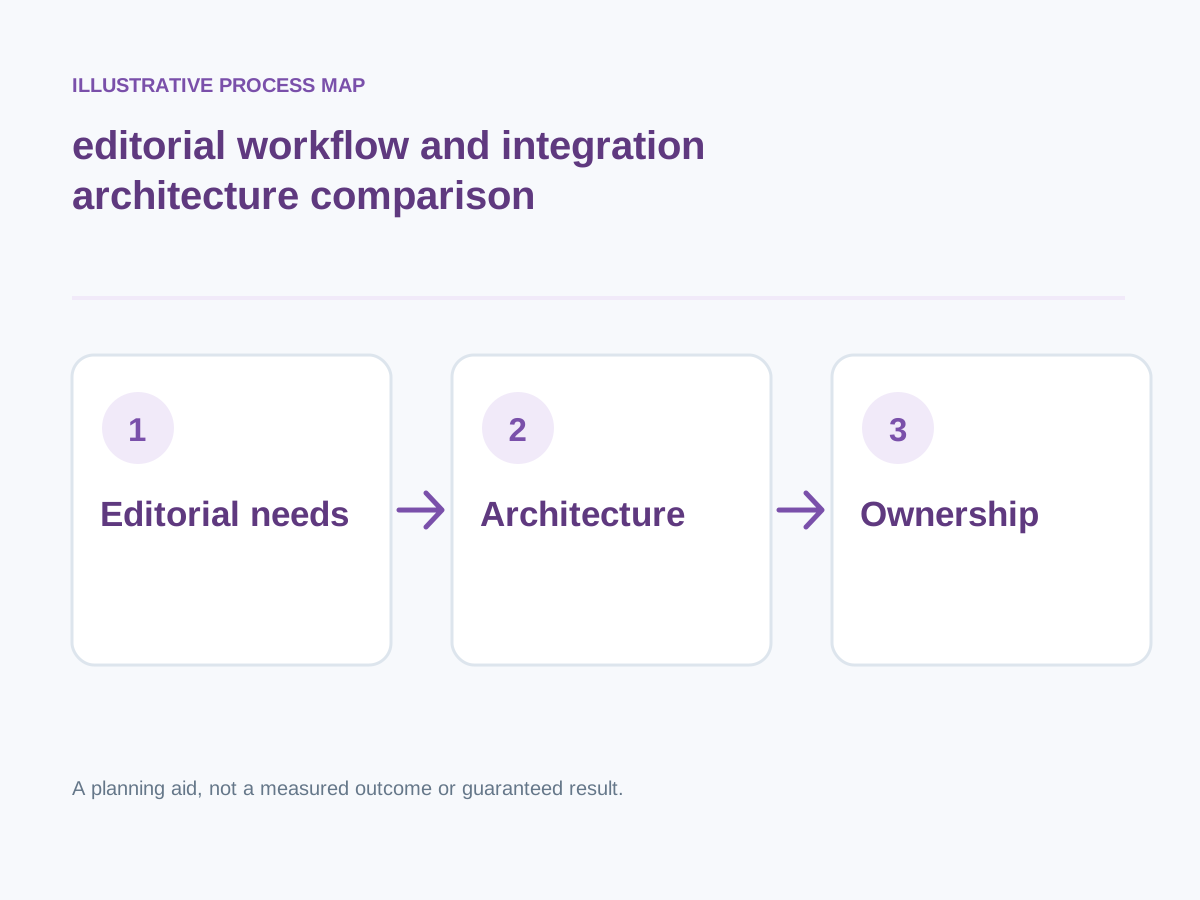
Conceptual illustration; not a client screenshot or measured result.
Start with the content operating model
Identify who writes, edits, approves and translates content; map how often layouts change.
How to verify: Run an editorial task through a prototype.
Review portability
Clarify exportable content, design source, database access, redirects and how the site could migrate in future.
How to verify: Ask for a practical exit plan.
Assess performance risks
Examine payloads, caching strategy, rendering mode, fonts and third-party dependencies for each proposed solution.
How to verify: Ask for reproducible measurement on relevant templates.
Check security and permission design
Define admin roles, plugin access, backups, session handling and a patching owner.
How to verify: Require a review of account permissions and update workflow.
Next step: Prioritise the checks relevant to your project, record a baseline, test changes and consult the website development services or book a consultation for implementation support.